
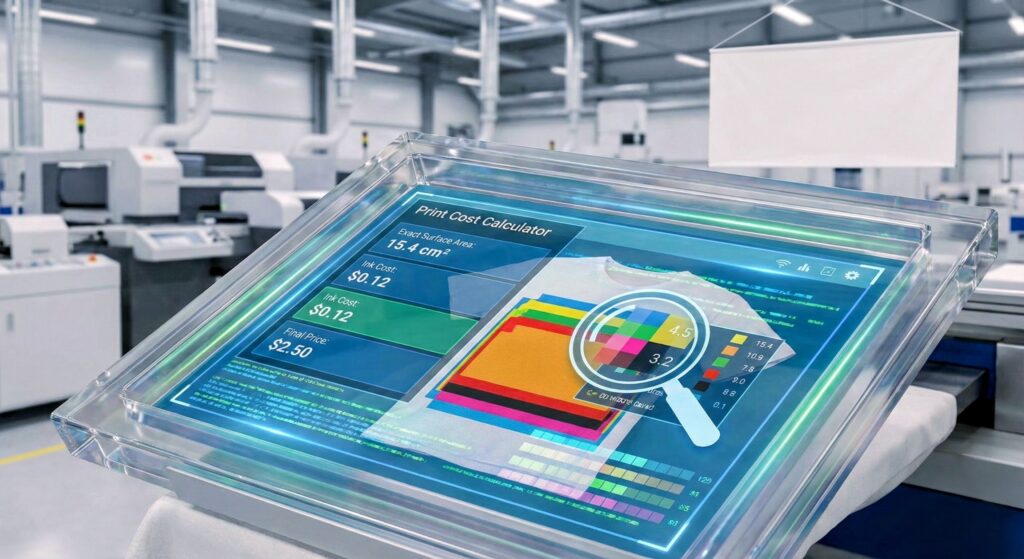
The Science of Costing: Introducing the BEEF Print Cost Calculator
In the embellishment industry, accurate costing is the thin line between a profitable order and a financial loss. For decades, we have relied on rough estimates—visual guesses or simple “length × width” bounding box calculations—to determine ink usage. These methods are inherently flawed because they calculate the canvas, not the design. We are proud to introduce the Print Cost Calculator, a new tool developed for BEEF members that uses algorithmic image analysis to measure exact surface area and calculate precise unit costs. Here is the engineering breakdown of how it works, how the math is calculated, and how you can use it to secure your profit margins. 1. How It Measures Surface Area: The “Pixel-Perfect” Algorithm The core innovation of this calculator is that it ignores the empty space in your design. When you upload an artwork, the system does not just look at the image height and width. Instead, it runs a K-Means Clustering Algorithm (a type of Machine Learning) to analyze the image pixel by pixel. Transparency Analysis: The system reads the “Alpha Channel” of your PNG file. Any pixel that is transparent is instantly discarded from the calculation. Color Quantization: It groups millions of similar pixel shades into distinct “Ink Families” (e.g., separating distinct Reds, Blues, and Yellows). Physical Mapping: It correlates the number of pixels to the physical dimensions you provide (cm). Example: If a design is 20cm wide and contains 1,000,000 pixels, the system knows exactly how many cm² of surface area one single pixel represents. The Result: You get a measurement of the Actual Printable Area. If you are printing a thin spiderweb design on a 30cm × 30cm shirt, you are only charged for the spiderweb (perhaps 15 cm² of ink), not the full 900 cm² square. 2. The Costing Formula: Variable vs. Fixed To give you a “Final Price Per Piece” that works for both samples and bulk production, the calculator splits costs into two specific engineering categories: A. Variable Cost (Ink & Labor) This is calculated per color based on the surface area found by the algorithm. Formula: Detected Area (cm²) × Ink Rate ($/cm²) Why this matters: High-density (HD) prints or Puff prints consume significantly more expensive chemicals than standard Rubber prints. The calculator allows you to assign specific chemical costs (e.g., $0.011/cm² for HD vs $0.004/cm² for Rubber), ensuring you don’t underquote on expensive specialty prints. B. Fixed Cost (Screens & Setup) Screens are a one-time setup fee, regardless of whether you print 12 shirts or 12,000. Formula: (Number of Colors × Grading Sets) × Screen Cost Amortization: The system spreads this fixed cost across your Target Order Quantity. Smart Logic: If you toggle the “Bulk Pricing” switch, the system amortizes the screen cost over a standard run (e.g., 500 pcs), allowing you to quote competitive production prices even when making samples. 3. Optimizing for Accuracy: How to Export Your Artwork Since the calculator relies on reading data from your image file, “Garbage In equals Garbage Out.” To get 99.9% accurate results, follow this export protocol: File Format: Always use PNG with a transparent background. (JPGs turn empty space into white pixels, which the system might mistake for White Ink). Resolution: High resolution is preferred (minimum 1000px width) to ensure tiny details are captured. Naming Convention: Save your file using the format WidthxHeight-ColorCount. Format: WidthxHeight-ColorCount.png Correct Example: SummerDesign_25x30-4.png Why: The calculator automatically detects that this design is 25cm wide, 30cm high, and has 4 colors. This saves you manual data entry and prevents scaling errors. 4. The Engineer’s Standpoint: Why Use This? Profit Margin Clarity The biggest “hidden loss” in our factories is calculating ink cost based on the bounding box. Old Way: A circular design sits in a square box. You estimate cost based on the square. You over-quote, potentially losing the buyer. BEEF Way: You calculate the exact ink needed for the circle. You get a lower, more competitive cost, but you know it is accurate. This allows you to add a healthy profit margin with confidence, rather than guessing. Dynamic Sensitivity This tool is not static. With the “Edit Prices” feature, you can update your chemical costs in real-time. Did the market price of Discharge Paste go up? Update the rate in seconds, and all your future quotes will reflect the new reality. Professional Standardization Using this tool standardizes how your marketing and merchandising teams quote prices. No more “gut feelings”—just data-driven engineering logic. Try the calculator today: https://bdembellishmentef.com/print-cost-calculator Empowering Bangladesh’s Embellishment Industry through Engineering Precision. গার্মেন্টস এম্বেলিশমেন্ট শিল্পে, সঠিক কস্টিং হলো লাভ এবং ক্ষতির মাঝখানের সূক্ষ্ম সীমারেখা। দশকের পর দশক ধরে আমরা ইঙ্ক কঞ্জাম্পশন বের করার জন্য অনুমানের ওপর নির্ভর করে আসছি—যেমন বাউন্ডিং বক্স (দৈর্ঘ্য × প্রস্থ) ক্যালকুলেশন। কিন্তু এই পদ্ধতিটি ত্রুটিপূর্ণ কারণ এটি ডিজাইনের পুরো ক্যানভাস হিসাব করে, আসল ডিজাইন নয়। BDEEF সদস্যদের জন্য আমরা গর্বের সাথে নিয়ে এসেছি “Print Cost Calculator”। এটি একটি অ্যাডভান্সড টুল যা অ্যালগরিদমিক ইমেজ অ্যানালাইসিস ব্যবহার করে ডিজাইনের প্রকৃত সারফেস এরিয়া পরিমাপ করে এবং নিখুঁত ইউনিট কস্ট বের করে। একজন ইঞ্জিনিয়ারের দৃষ্টিকোণ থেকে এটি কীভাবে কাজ করে এবং কীভাবে এটি আপনার প্রফিট মার্জিন নিশ্চিত করবে, তার বিস্তারিত নিচে আলোচনা করা হলো। ১. এটি কীভাবে সারফেস এরিয়া পরিমাপ করে: “পিক্সেল-পারফেক্ট” অ্যালগরিদম এই ক্যালকুলেটরের মূল উদ্ভাবন হলো, এটি ডিজাইনের ফাঁকা জায়গা বা নেগেটিভ স্পেসকে হিসাবের বাইরে রাখে। যখন আপনি কোনো আর্টওয়ার্ক আপলোড করেন, সিস্টেমটি কেবল ইমেজের দৈর্ঘ্য বা প্রস্থ দেখে না। এটি K-Means Clustering Algorithm (এক ধরণের মেশিন লার্নিং) ব্যবহার করে প্রতিটি পিক্সেল বিশ্লেষণ করে। ১. ট্রান্সপারেন্সি অ্যানালাইসিস: সিস্টেমটি আপনার PNG ফাইলের “Alpha Channel” রিড করে। যেই পিক্সেলগুলো ট্রান্সপারেন্ট বা স্বচ্ছ, সেগুলোকে হিসাব থেকে বাদ দিয়ে দেয়। ২. কালার কোয়ান্টাইজেশন: এটি ইমেজের লক্ষ লক্ষ পিক্সেল শেডকে নির্দিষ্ট “কালার ফ্যামিলি”-তে ভাগ করে (যেমন—লাল, নীল এবং হলুদকে আলাদা করা)। ৩. ফিজিক্যাল ম্যাপিং: এটি পিক্সেলের সংখ্যাকে আপনার দেওয়া ফিজিক্যাল ডাইমেনশন (cm) এর সাথে ম্যাপ করে। * উদাহরণ: যদি একটি ডিজাইন ২০ সে.মি. চওড়া হয় এবং তাতে ১,০০০,০০০ পিক্সেল থাকে, তবে সিস্টেমটি জানে যে একটি পিক্সেল ঠিক কতটুকু সারফেস এরিয়া দখল করে। ফলাফল: আপনি পান Actual Printable Area বা প্রকৃত প্রিন্ট এরিয়ার পরিমাপ। যদি